Building your first tool: from idea to app
Building a working tool in Mia OS is one form and a few minutes of waiting. Here is how.
Opening the builder
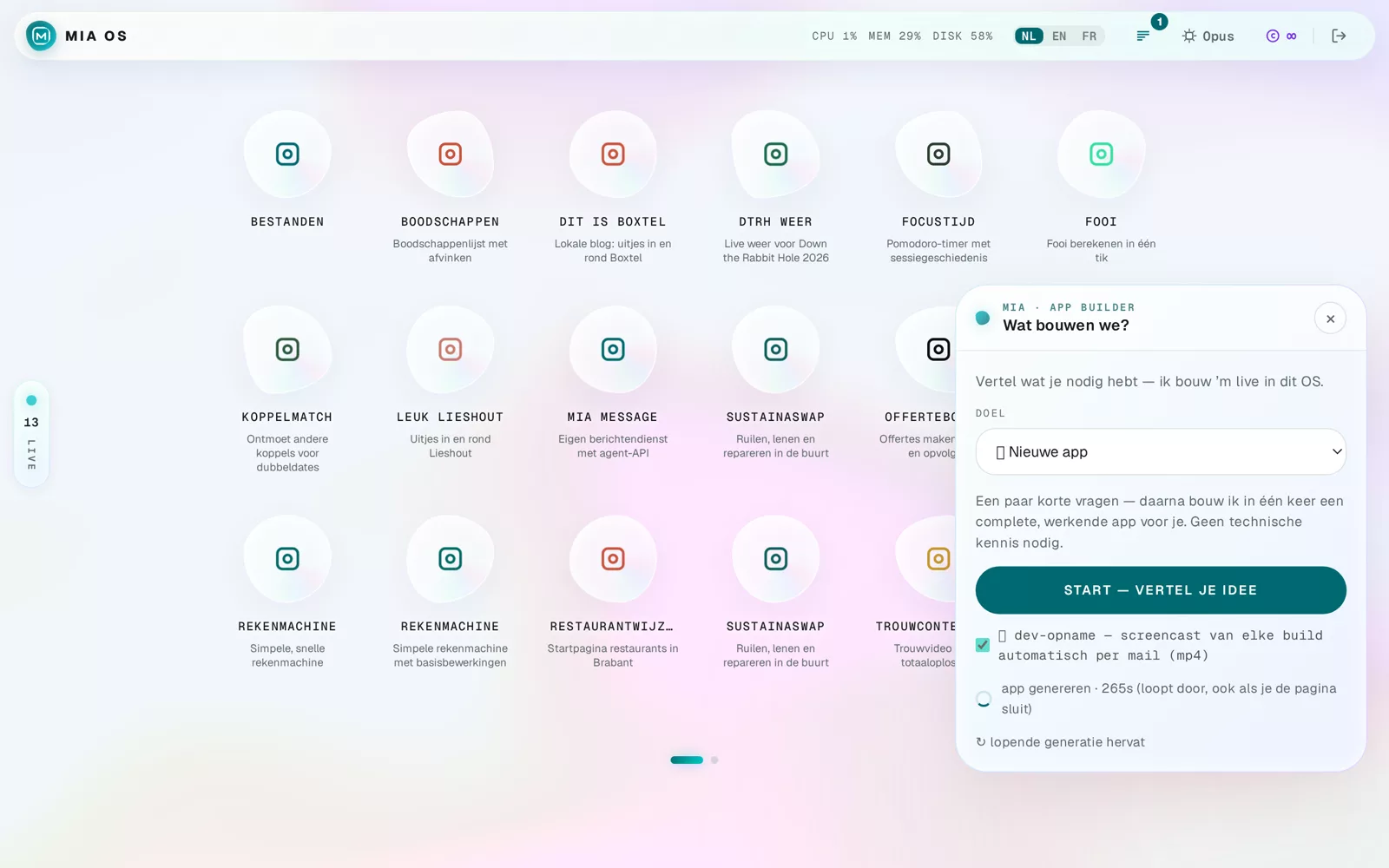
- Click the Mia button in the bottom right.
- Choose Build an app.
- Under GOAL, pick "New app".
Describe your idea
Write what you need in plain language. The more concrete, the better:
"A time tracking tool for my team: enter hours per day, weekly total and export to Excel."
Then click Start — tell your idea. Mia first asks a few short questions so the app comes out right the first time.
Mia builds — watch or walk away
An average app is ready in about 4 to 5 minutes. The build keeps running if you close the page. Want to watch? You see Mia analyse, build and verify live. Optionally every build is screen-recorded and mailed to you.
Done — instantly live
Afterwards the new icon is on your home screen and the app is reachable at its own web address. You can always change it: via the chat, or by right-clicking any element (see the smart menu tutorial).
Frequently asked questions
Do I need to know how to code?
No. You describe what you want in plain language; Mia writes, tests and publishes the software.
What if the result is not right?
Just say so in the chat — Mia adjusts the app until it is. Every build is also verified automatically.
Dig deeper
Building your first app with Mia
Build your very first working app with Mia OS, step by step and with no prior knowledge. A practical getting-started guide.
Read more →Start hereWatching live while Mia builds
During every build the live studio opens: you watch Mia analyse, write code and verify — notepad, editor, terminal and preview.
Read more →Go deeperHow do you give Mia a good brief?
Better descriptions lead to better software. Practical tips to get Mia to build exactly what you have in mind.
Read more →