Watching live while Mia builds
Mia does not build in a black box. During every build you can watch live, step by step.
The live studio
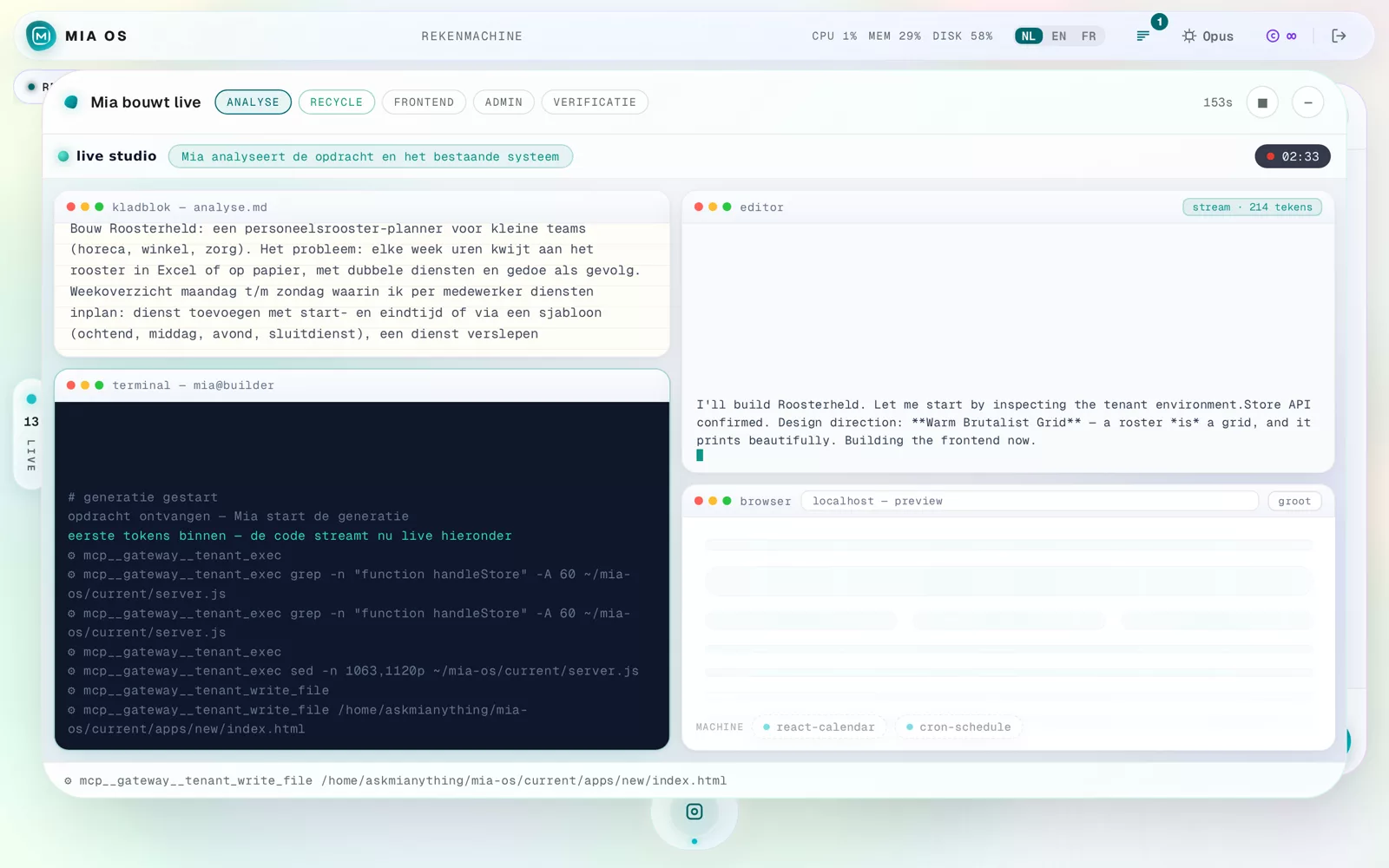
As soon as a build starts, "Mia builds live" appears with four windows: the notepad (her analysis of your request), the editor (her reasoning and the code), the terminal (what happens on your server) and the browser (the app taking shape).
The phases at the top
The bar at the top shows where Mia is: Analysis → Frontend → Admin → Verification. On the right a timer runs and you can stop or minimise the build — it simply continues in the background.
Why this is useful
You do not have to do anything with it — but it shows exactly what you get and why. With dev recording enabled you also receive these images as a video by mail afterwards, to rewatch or share.
Frequently asked questions
Do I have to keep watching until it is done?
No. Feel free to close the page — the build continues and the result will be on your home screen.
Can I intervene during a build?
Yes, via the stop button or simply in the chat. You can always adjust afterwards.
Dig deeper
Building your first tool: from idea to app
Start the app builder via the Mia button, describe your idea in plain language and Mia builds a complete working app within minutes.
Read more →Go deeperHow Mia checks her own work
Mia doesn't just build: she tests, checks and fixes her own work before you see it. Here's how that self-correcting process works.
Read more →