Sharing your app in the Mia Marketplace
Proud of what you built? Put your app in the Mia Marketplace with a single switch.
What is the Mia Marketplace?
The Marketplace is where Mia OS users discover and open each other’s apps. Your app remains yours and runs on your environment — you only make it discoverable for others.
How to switch it on
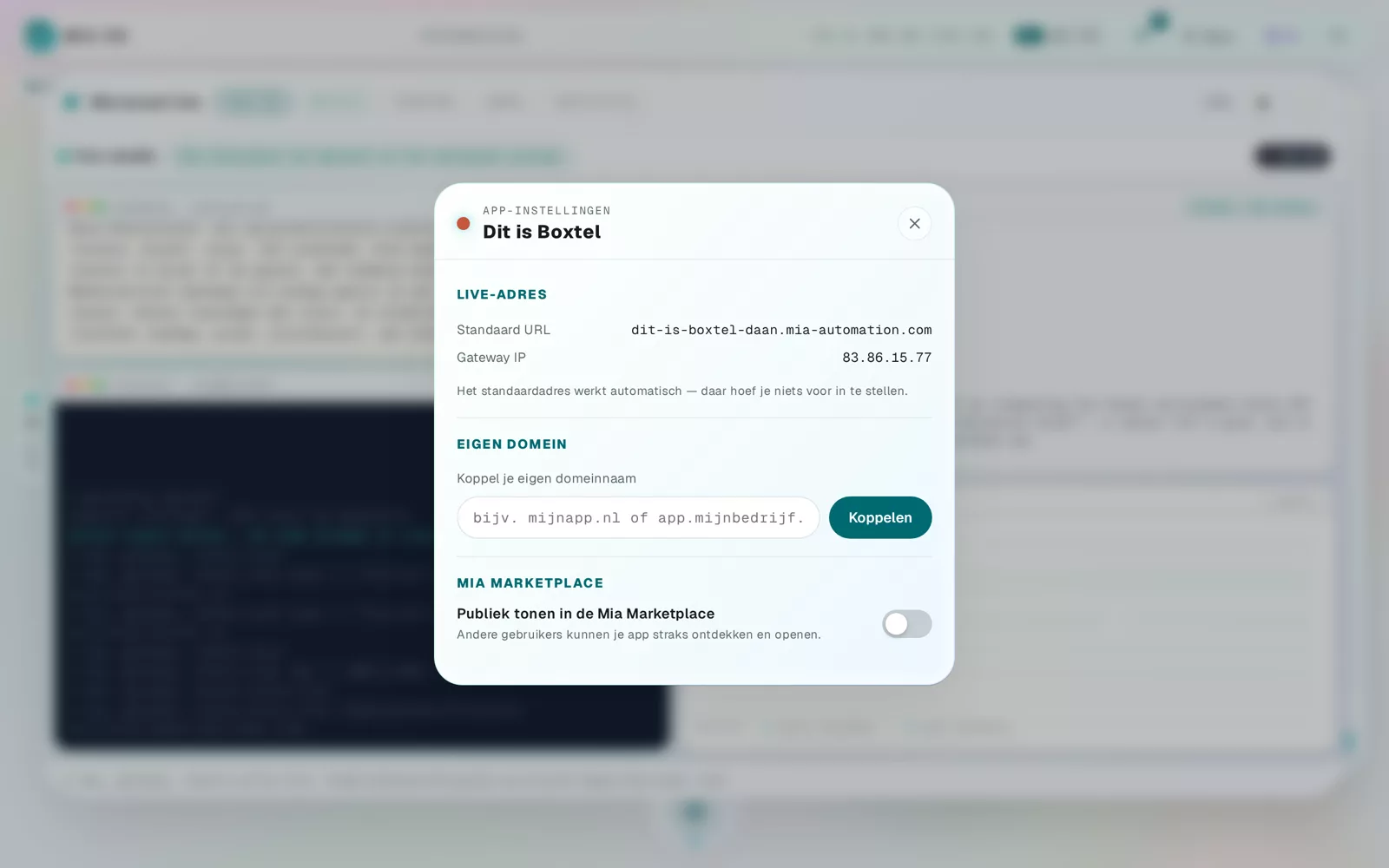
- Open the app settings via the gear next to your app.
- Turn on the switch "Show publicly in the Mia Marketplace".
- Done — a star next to your app shows it is listed.
Withdrawing again
Turn the switch off and your app is instantly private again. Your data and users are never shared — only the app itself is made visible.
Frequently asked questions
Can others see my data?
No. Only the app becomes visible; your data stays on your own environment.
Does sharing an app cost anything?
No, the Marketplace switch is included with every app.
Dig deeper
Connecting your own domain name to your app
Every app automatically gets a web address. Want your own domain? Enter it in the app settings — Mia handles the rest, including SSL.
Read more →Go deeperWhat people build with Mia OS: real-world examples
See what business owners and teams have built with Mia OS, from online shops to internal tools, without writing a single line of code.
Read more →