Connecting your own domain name to your app
From myapp-yourname.mia-automation.com to www.mycompany.com: connecting your own domain is a single form.
Open the app settings
Click the gear next to an app (in the live list on the left, or via the window bar). At the top you see your app’s default web address — it always works, nothing to configure.
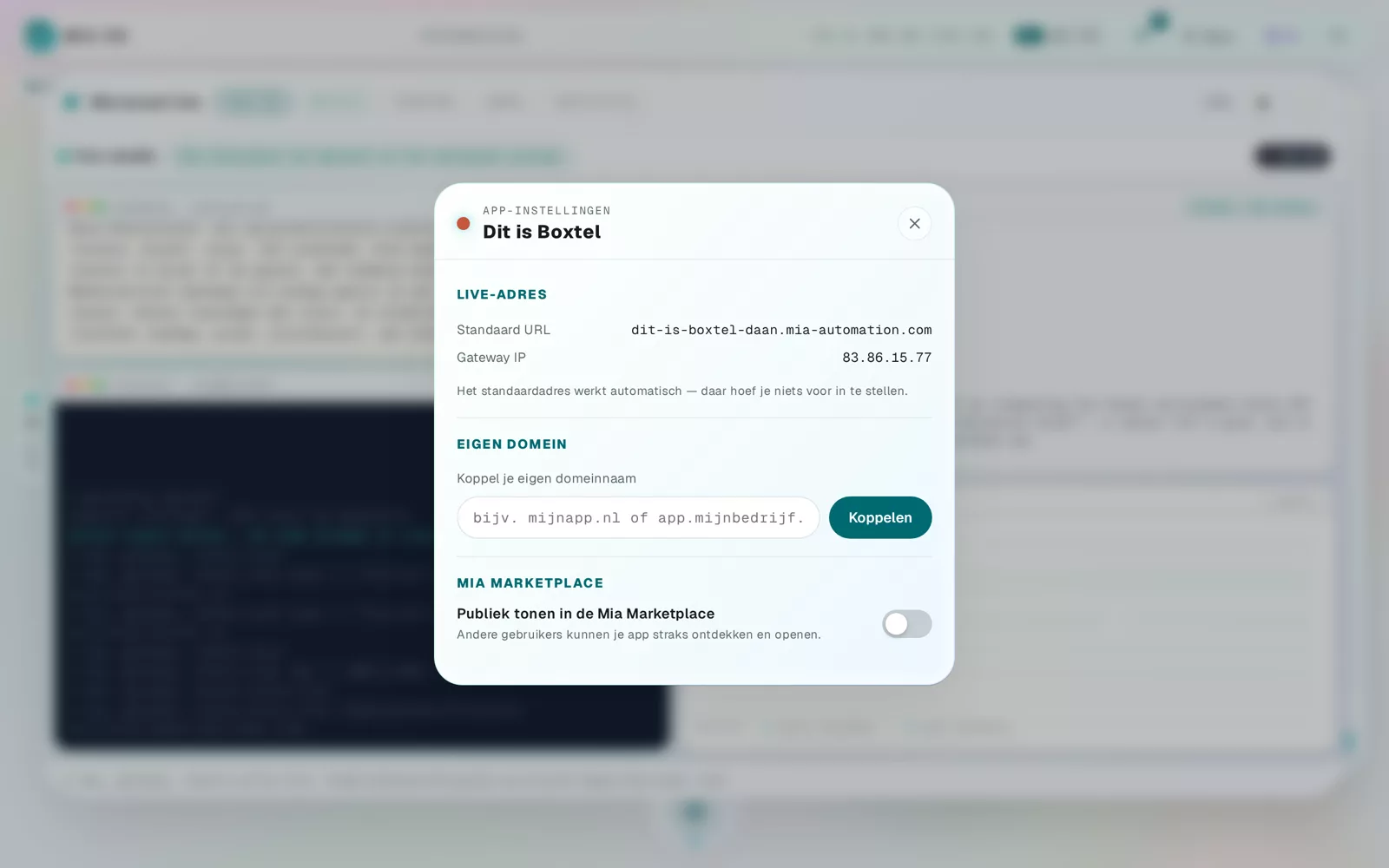
Connect your domain
- Under Custom domain, enter your domain name, for example myapp.com or app.mycompany.com.
- Click Connect.
- You are shown exactly which DNS records to set at your domain registrar (where you bought the domain).
Wait a little — done
After saving the DNS records it usually takes 5 to 30 minutes (sometimes up to 24 hours) for your domain to go live. The SSL certificate (the padlock) is handled fully automatically. You can disconnect at any time — the default address keeps working.
Frequently asked questions
Do I need to arrange an SSL certificate myself?
No, that happens automatically once your domain is connected.
What if I do not know where my DNS settings live?
Send Mia the name of your registrar (where you bought the domain) — she explains where to go per provider.
Dig deeper
What is a web address (domain) and how does it work in Mia OS?
What is a domain, and how does your app get its own web address? Mia OS sorts it out automatically. Here is how it works, in plain language.
Read more →Start hereOpening and managing apps
Click an icon to open an app. Every app window has a management page with statistics, explanation and data management.
Read more →